mirror of
https://github.com/zadam/trilium.git
synced 2026-02-11 00:04:27 +01:00

903 B
Vendored
903 B
Vendored
Customize the Next theme
By default, any custom theme will be based on the legacy light theme. To use the TriliumNext theme instead, add the #appThemeBase=next attribute onto the existing theme. The appTheme attribute must also be present.
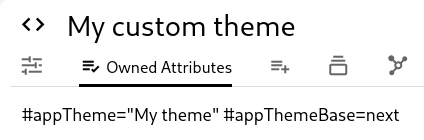
The appThemeBase label can be set to one of the following values:
next, for the TriliumNext (auto light or dark mode).next-light, for the always light mode of the TriliumNext.next-dark, for the always dark mode of the TriliumNext.- Any other value is ignored and will use the legacy white theme instead.
Overrides
Do note that the TriliumNext theme has a few more overrides than the legacy theme. Due to that, it is recommended to use #trilium-app with a next theme instead of the :root of a legacy theme.
#trilium-app {
	--launcher-pane-background-color: #0d6efd;
}